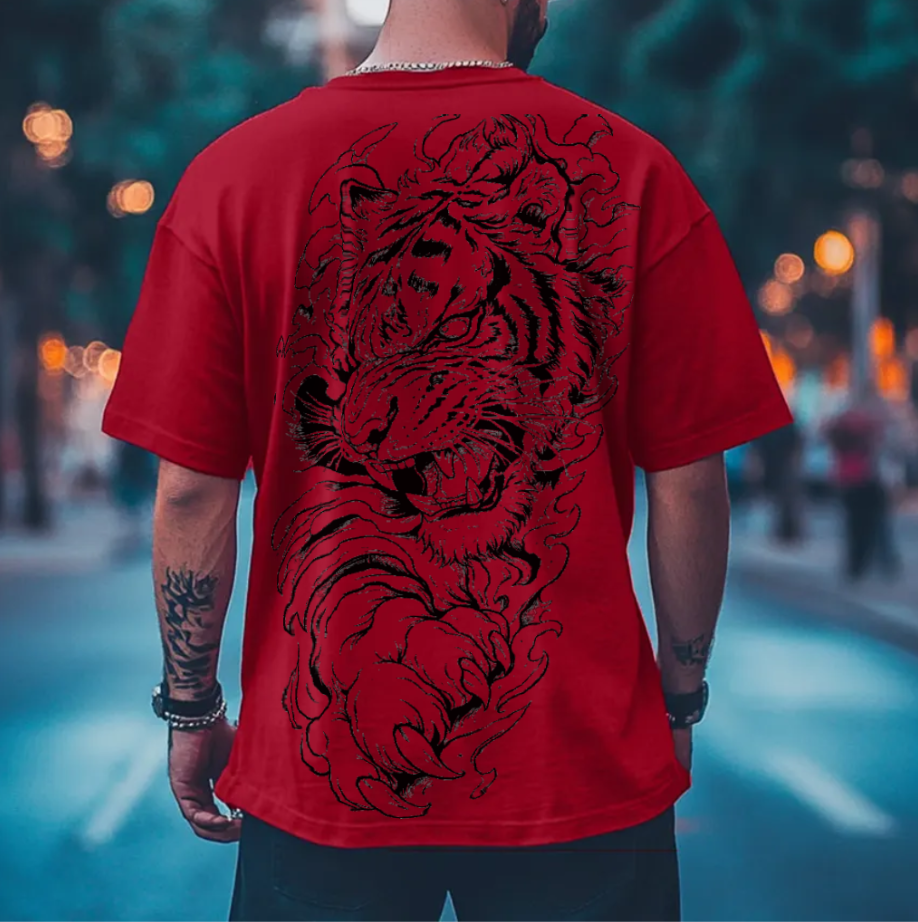
If you design streetwear, graphic tees, or custom merchandise for platforms like Etsy, Shopify, or Amazon Merch, creating clean product previews is essential for sales. However, one common issue plagues online apparel sellers: placing high-contrast black-and-white graphic designs onto dark red, navy, or black t-shirt mockups often results in unsightly white speckles, noisy dots, and harsh white outlines around the artwork.
In this guide, we break down why white background artifacts appear on dark garment mockups and show you how to automatically eliminate them to achieve studio-grade, photorealistic t-shirt previews.
Why White Dots & Halos Appear on Dark Shirts
When saving line-art illustrations (such as dragon graphics, skull emblems, or vintage typography) as PNG or JPG files, design software creates anti-aliased edge pixels. Anti-aliasing smooths curves by blending dark ink colors into semi-transparent white or light gray pixels along the graphic borders.
When your graphic is placed on a light or white t-shirt, these light edge pixels blend into the fabric naturally. However, when you change the shirt color to deep crimson, charcoal, or pitch black, those light pixels remain light. On a dark background, they appear as white dandruff, dots, or a halo ring surrounding your graphic.
Photoshop-Grade Automatic Background Cleanup
Traditionally, graphic designers spent 15 to 20 minutes in Adobe Photoshop running Channels masking, threshold adjustments, and Layer > Matting > Remove White Matte commands for every single graphic file.
To save time for apparel creators, Dizzzign introduced an automated WebGL processing pipeline directly inside the free mockup studio:
1. Automatic Luminosity Knockout
Our algorithm calculates true pixel luminance across your image. Any white background fills or trapped white pixels inside artwork lines are converted to 100% transparent space automatically.
2. Edge Defringing (Remove White Matte)
Semi-transparent edge pixels that previously contained white color data are re-colored to match your primary ink values. This eliminates edge halos entirely so your artwork looks screen-printed onto the fabric.
3. Continuous Fabric Crease Shading
Wrinkle displacement maps are smoothed so design lines flex naturally over cotton folds without tearing, cracking, or pixelating on dark shirt textures.
Best Practices for High-Converting Etsy & Shopify Mockups
High-quality product images directly drive higher click-through rates and sales conversions on e-commerce marketplaces. Here are key steps to optimize your mockup workflow:
- Upload High-Resolution PNG or SVG Files: Upload design files at 300 DPI for maximum sharpness on both flat-lay and model mockups.
- Fine-Tune Knockout Tolerance: Use the Knockout panel sliders in our Free Studio to customize background removal sensitivity for complex illustrations.
- Export Ultra HD PNG Mockups: Export clean, watermark-free images with Full Commercial Rights for your marketing catalogs.
Frequently Asked Questions
Why do white dots appear on black and white graphics on dark shirts?
When saving PNG or JPG graphic illustrations, fine lines and internal background patches often contain semi-transparent or light gray pixels. When placed on a dark red or black shirt mockup, these pixels remain visible as white speckles or fuzzy edge halos.
How does Dizzzign automatically clean white background pixels?
Dizzzign uses an in-browser WebGL luminosity knockout engine that detects background brightness and converts light background pixels to 100% transparent space while re-coloring edge pixels to match dark ink.
Do I need Photoshop to remove white backgrounds from t-shirt designs?
No. Dizzzign performs automatic background removal and edge defringing directly inside your web browser in less than a second, completely free with no software installation.
Related Apparel Guides & Tools
Creating Realistic Apparel Mockups for Etsy & Shopify
Complete 2026 guide for print-on-demand and streetwear sellers.
Create Clean, Artifact-Free Apparel Mockups Now
Upload your artwork, pick a garment, and generate realistic t-shirt and hoodie previews with real fabric folds — 100% free with commercial license.